ADR Register Manager
PROSee every decision, what's blocked, and what's next at a glance.
Manage a whole Architecture Decision Record register: list ADRs and their status, compute and explain the decision critical path, find what blocks a given ADR, and scaffold the next ADR in MADR format. Use when asked to list ADRs, show the ADR roadmap or critical path, check what an ADR is waiting on, or add the next decision record. For writing a single ADR from scratch, use the ADR Author skill.
Ask for it in plain English, e.g.
Works in
You ask: Here is our project's ADR register (`docs/adr/register.yaml`). Every decision is still DRAFT, and our governance gate is "P0 decisions require ARB endorsement before acceptance". Show me the critical path, tell me which ADRs are ready to take to review now, and explain what's blocking ADR-007. ```yaml project: Northwind Support Assistant status_values: [DRAFT, ACCEPTED] governance_gate: "P0 decisions require ARB endorsement before acceptance" adrs: - { id: "001", title: AI/FM Platform Selection, status: DRAFT, priority: P0, depends_on: ["010"], addresses: [ASR-09] } - { id: "002", title: Vector Store Selection, status: DRAFT, priority: P1, depends_on: ["001"], addresses: [ASR-08] } - { id: "003", title: API Gateway Selection, status: DRAFT, priority: P1, depends_on: ["001"], addresses: [ASR-06] } - { id: "004", title: Foundation Model Selection, status: DRAFT, priority: P0, depends_on: ["001"], addresses: [ASR-06] } - { id: "005", title: Infrastructure as Code Tool, status: DRAFT, priority: P2, depends_on: [], addresses: [ASR-09] } - { id: "006", title: Liferay Integration Pattern, status: DRAFT, priority: P1, depends_on: ["003"], addresses: [ASR-10] } - { id: "007", title: Guardrails Implementation, status: DRAFT, priority: P0, depends_on: ["004","016"], addresses: [ASR-03] } - { id: "008", title: Chunking and Embedding Strategy, status: DRAFT, priority: P1, depends_on: ["002","007"], addresses: [ASR-08] } - { id: "009", title: API Authentication Architecture, status: DRAFT, priority: P0, depends_on: ["003"], addresses: [ASR-02] } - { id: "010", title: Data Residency, status: DRAFT, priority: P0, depends_on: [], addresses: [ASR-11] } - { id: "011", title: Observability and Audit Logging, status: DRAFT, priority: P2, depends_on: ["001"], addresses: [ASR-04] } - { id: "012", title: Permission Filter Model, status: DRAFT, priority: P1, depends_on: ["002"], addresses: [ASR-02] } - { id: "013", title: Content Source Connectors, status: DRAFT, priority: P2, depends_on: ["002","008"], addresses: [ASR-08] } - { id: "014", title: Availability SLA and Failure Handling, status: DRAFT, priority: P2, depends_on: ["006"], addresses: [ASR-07] } - { id: "015", title: Mobile Channel Authentication, status: DRAFT, priority: P2, depends_on: ["009"], addresses: [ASR-02] } - { id: "016", title: Safety Detection Tooling Selection, status: DRAFT, priority: P0, depends_on: [], addresses: [ASR-05] } - { id: "017", title: Service Identity and Credential Mgmt, status: DRAFT, priority: P1, depends_on: ["015"], addresses: [ASR-33] } ```
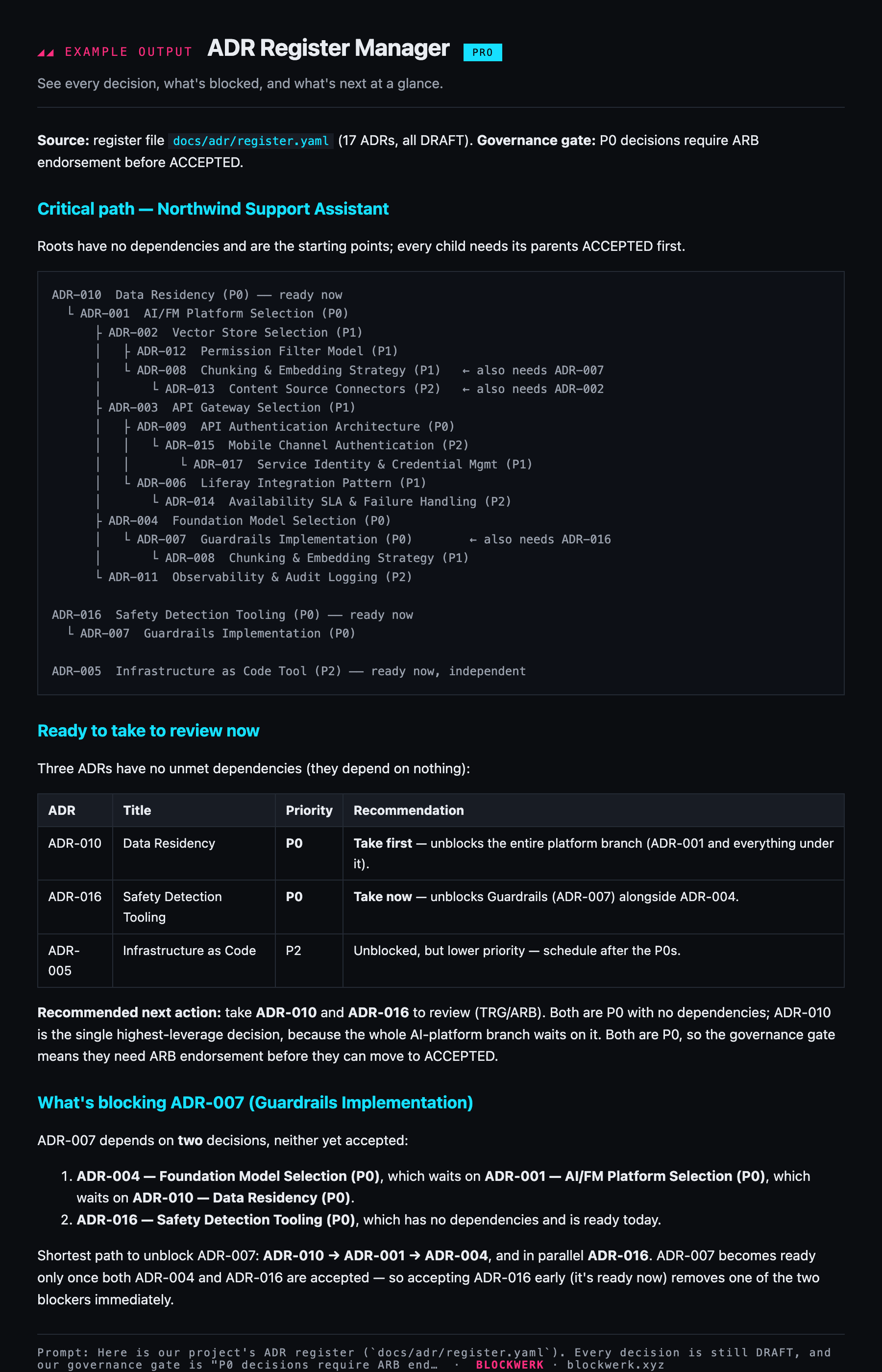
Example output shown for illustration. Your assistant produces this live from your own request once the skill is installed.